MCP Emtrafesa
An MCP server that gives AI assistants structured access to Emtrafesa’s intercity transport data: terminals, routes, schedules, seat availability and already-purchased tickets.
Since August 2026 it runs as a remote server on Cloudflare Workers. No install, no authentication: paste the URL into your client.
Connect
In Claude Desktop or claude.ai, Settings → Connectors → Add custom connector:
https://mcp-emtrafesa.georgegiosue.dev/mcpIn Claude Code:
claude mcp add --transport http emtrafesa https://mcp-emtrafesa.georgegiosue.dev/mcpIt is still published on npm for anyone who prefers to run it locally over stdio.
Tools
| Tool | What it does |
|---|---|
get-terminals | Every Emtrafesa terminal in Peru |
get-arrival-terminals | Destinations available from a city |
get-departure-schedules | Departures between two cities |
get-available-seats | Free seats on a specific departure |
get-latest-purchased-tickets | Purchased tickets, by national ID and email |
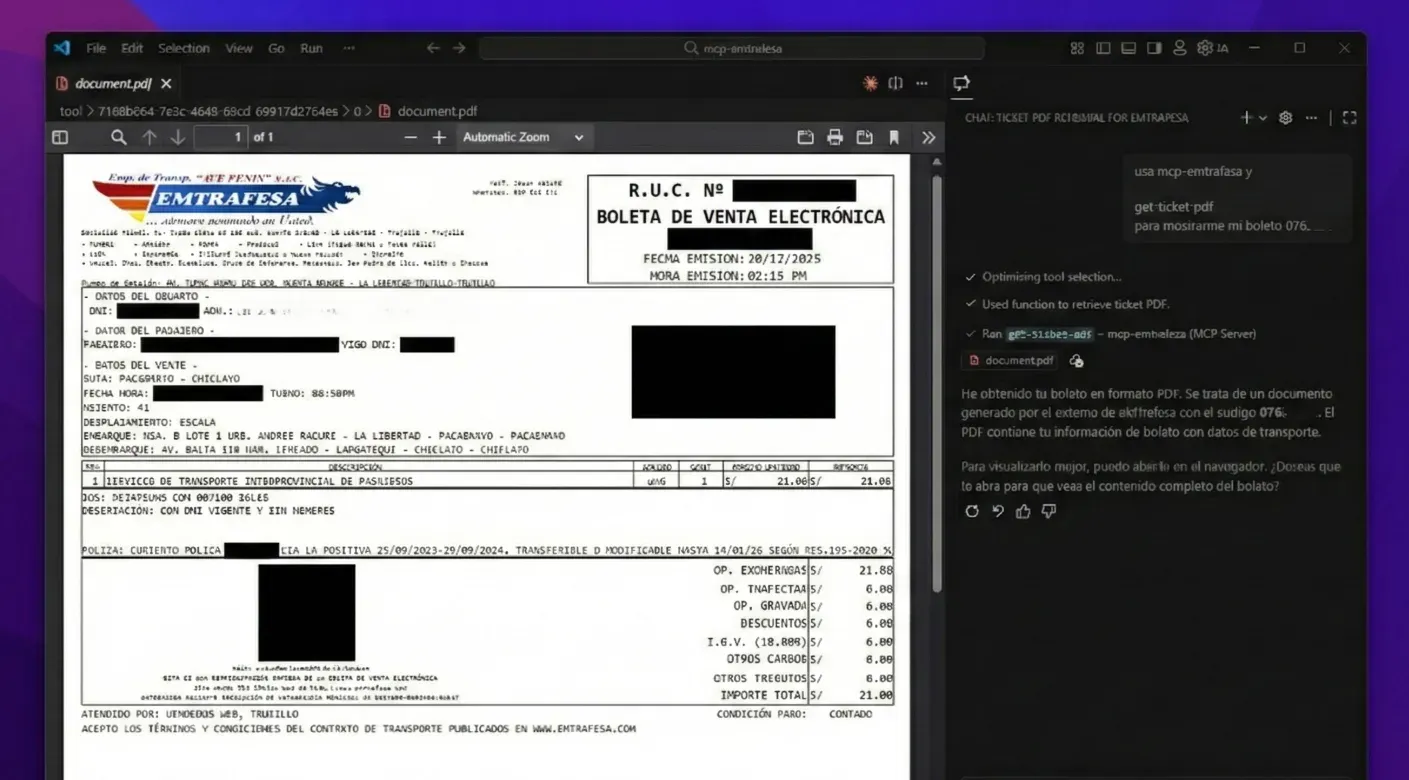
get-ticket-pdf | A ticket as a PDF |
get-frequently-asked-questions | Luggage, minors, senior passengers, service rules |
Every field the tools return is self-describing, so the model reads the results without extra explanation. You ask by city name; omitting the date means today in Peru.
Architecture
The server is built from a single createServer() factory that both entry points share: serveStdio() for the npm package and createMcpHandler() for the Worker. Tools are defined once and served over both transports.
Three things about the Workers deployment were not obvious:
- SDK v2 exposes a
workerdexport condition that swaps Ajv for a compatible validator. Ajv useseval, which the Workers runtime forbids. cheerio’s main entry pulls inundiciandparse5-parser-stream, which depend onnetandtls. Thecheerio/slimvariant avoids both.- The bundle needs
nodejs_compatfor theBufferused by PDF generation.
Tech
TypeScript, Bun, Model Context Protocol SDK v2, Cloudflare Workers, Zod, Cheerio.
Screenshots
Ticket lookup as PDF
Motivation
To standardize programmatic access to transport data for agent integrations and trip-planning flows. Moving to a remote server removed the last of the friction: you no longer need Node installed or a config file edited to use it.